
Coinbase fees explained: the complete 2026 breakdown
Coinbase is often a beginner's first platform: reassuring, publicly listed, compliant and easy to get started with. But it also carries a stubborn reputation, that of being expensive. Between the built-in spread, the fees of the simple interface, the much cheaper Coinbase Advanced mode and the Coinbase One subscription, the real bill depends enormously on how you use the service. This guide breaks down every type of fee, explains why beginners pay top dollar, then compares Coinbase to cheaper alternatives such as XT.com, MEXC and BingX.
Transparency: this article contains affiliate links. If you open an account through our links, we may earn a commission at no extra cost to you, and in the case of XT.com, with a fee advantage (VIP2 status) passed on to you. We only recommend platforms we actually use.
Why Coinbase fees deserve a serious look
When you start out, you pick Coinbase for its simplicity and forget to look at the fee detail. It is a common mistake. On the simple interface, the cost of an operation is not shown as a single figure: it is made of a spread built into the price plus transaction fees that stack on top. As a result, many users do not realize how much they actually pay on each purchase. For an investor who practices regular accumulation or capital rotation, these fees end up seriously eating into performance.
The good news: Coinbase also offers a much cheaper mode, Coinbase Advanced, that most beginners never use. Understanding the difference between the two modes is the first lever for saving money. If you are brand new to the platform, our step-by-step setup walkthrough shows where to find Advanced from day one. Here is what you actually pay on each interface.
The simple interface: convenient but expensive
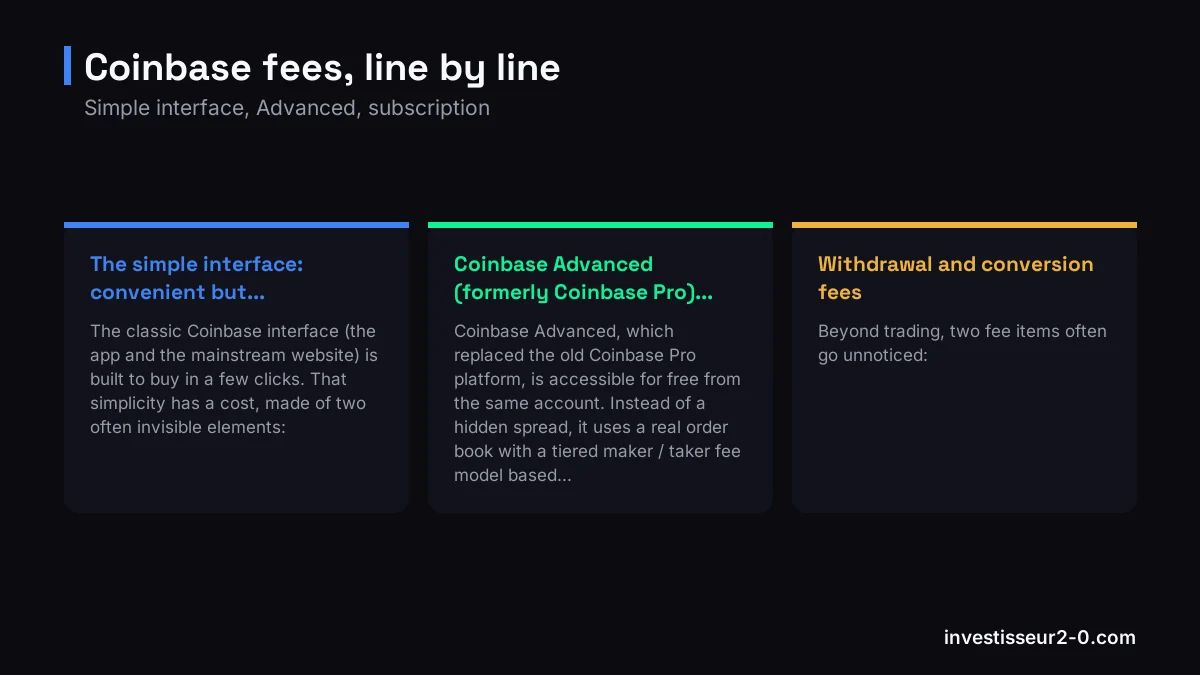
The classic Coinbase interface (the app and the mainstream website) is built to buy in a few clicks. That simplicity has a cost, made of two often invisible elements:
- The spread: Coinbase builds in a gap of about 0.5% between the displayed buy and sell prices. This spread does not appear as a separate fee, but it makes every operation more expensive.
- Transaction fees: on top of the spread, Coinbase applies fixed fees for small amounts, or variable fees (as a percentage) for larger amounts, which also depend on the payment method used.
In practice, for a small purchase, the combination of spread plus fees can represent more than 1% to 2% of the amount. That is what earns Coinbase its reputation as an expensive platform: the comfort of the simple interface is costly, especially on small repeated operations. For the full picture beyond pricing, our in-depth look at the platform covers security, compliance and ecosystem too.
Coinbase Advanced (formerly Coinbase Pro): much cheaper
Coinbase Advanced, which replaced the old Coinbase Pro platform, is accessible for free from the same account. Instead of a hidden spread, it uses a real order book with a tiered maker / taker fee model based on volume:
- Maker fee: applied when your limit order adds liquidity to the book. It is lower than the taker fee and decreases in steps as your monthly volume grows.
- Taker fee: applied when your market order removes liquidity. Higher than the maker fee, but also tiered based on volume.
- Volume tiers: the higher your monthly volume, the lower the fees. Small volumes stay in the higher brackets, large volumes reach very reduced rates.
The gap with the simple interface is considerable: for the same purchase, going through Advanced can divide your effective fees several times over. It is the most important saving lever on Coinbase, and it costs nothing to enable.
Coinbase One: the subscription
Coinbase also offers Coinbase One, a monthly subscription that removes trading fees on the simple interface within certain limits, and adds a few perks (priority support, certain features). The calculation is simple:
- If you trade a lot on the simple interface, the subscription can absorb the fees and become worthwhile.
- If you trade little, or if you have already switched to Coinbase Advanced, the subscription loses much of its interest.
- Note: the spread can persist even with Coinbase One depending on the operations, so read the terms carefully before subscribing.
For an active trader, the subscription is generally not the optimal solution: Advanced or a structurally low-fee platform usually works out cheaper.
Withdrawal and conversion fees
Beyond trading, two fee items often go unnoticed:
- Crypto withdrawal: you pay the network fees of the relevant blockchain, which vary with congestion. Withdrawing on a low-cost network is always preferable.
- Fiat withdrawal: bank transfers are generally inexpensive, but check the method and the timing offered.
- Conversion between cryptos: the quick convert feature is handy but often embeds a margin above the fees of an order placed on the Advanced order book. For large amounts, it is better to use a limit order.
Why the simple mode costs beginners so much
The typical beginner opens the Coinbase app, buys 100 EUR of Bitcoin in two clicks, and repeats regularly. Each time, they bear the spread of around 0.5% plus transaction fees. Over dozens of small purchases, the total becomes significant, without them realizing it, for lack of a clearly displayed fee line.
The solution is not to leave Coinbase, but to switch to Coinbase Advanced. The move is free: from your account, open the Advanced interface, deposit your fiat, and place your orders through the book (preferably with limit orders to benefit from the maker rate). You keep the security and compliance of Coinbase, but with a far more advantageous fee structure. For a broader view of the right platforms, see our ranking of the best crypto exchanges.
The cheaper alternatives to Coinbase
Even in Advanced mode, Coinbase is not the cheapest option on the market. Here are three platforms we use or recommend for their reduced fees, and our wider rundown of platforms that undercut Coinbase goes further into each one:
- XT.com: every Investisseur 2.0 member gets VIP2 status included via our link, i.e. 0.0150% maker / 0.0460% taker on futures, far below the Coinbase simple interface. It is our main platform for altcoin futures (see our full XT.com review).
- MEXC: known for some of the lowest spot fees on the market and a vast catalog of listings. See our MEXC bonus page.
- BingX: competitive futures fees and well-regarded copy trading. Sign up via our BingX link.
Important if you are in the EU: XT.com, MEXC and BingX have no MiCA licence and have not opened accounts for EU or French residents since July 1, 2026, so these three low-fee options only work outside the EU. All three links are affiliate links, and futures trading can wipe out your deposit.
Fee comparison table
| Platform | Spot / buy | Futures maker | Futures taker |
|---|---|---|---|
| Coinbase (simple interface) | spread ~0.5% + fees (often >1%) | n/a | n/a |
| Coinbase Advanced | tiered maker/taker (~0.4% to 0%) | n/a | n/a |
| XT.com (VIP2 included) | 0.0150% | 0.0150% | 0.0460% |
| MEXC | 0% - 0.10% | 0.01% | 0.04% |
| BingX | 0.10% | 0.02% | 0.05% |
How to concretely reduce your fees
Whether you stay on Coinbase or switch to an alternative, these levers cut your bill immediately:
- Switch to Coinbase Advanced: this is the most obvious saving. You leave behind the spread and high fees of the simple interface for a much lower maker/taker model, without changing accounts or paying anything.
- Favor limit orders (maker): a maker order adds liquidity to the book and costs less than a market order (taker). On Advanced as elsewhere, it is a reflex worth building.
- Fund by bank transfer, not by card: card payments carry significantly higher fees. For larger amounts, a bank transfer is always preferable.
- Choose the right platform: the most powerful lever remains to trade where fees are structurally lower. The VIP2 status included on XT.com via our link immediately gives fees incomparable with the Coinbase simple interface (affiliate link; non-EU residents only, XT.com stopped serving the EU in July 2026).
Our verdict
Coinbase remains an excellent entry point to get started: a reassuring interface, security, regulatory compliance and a public listing. But on the single criterion of fees, the simple interface is one of the most expensive on the mainstream market. The first reflex should be to switch to Coinbase Advanced to divide your fees. And for an active trader, the saving achieved with VIP2 status on XT.com via our link (0.0150% maker / 0.0460% taker) compounds trade after trade and ends up weighing heavily over a year. That said, this route is closed to EU and French residents: XT.com holds no MiCA licence and stopped taking them on July 1, 2026.
Our setup at Investisseur 2.0: Coinbase or Coinbase Advanced for the first entry in fiat with peace of mind, XT.com and MEXC for active trading at reduced fees. For a complete overview of the platforms, see our ranking of the best crypto exchanges in 2026.
FAQ
Why is Coinbase known for being expensive?
The simple interface combines a spread of around 0.5% built into the price with transaction fees that stack on top. For a small purchase, the total cost often exceeds 1% to 2%, making it one of the most expensive mainstream platforms per trade.
What is the difference between Coinbase simple and Coinbase Advanced?
The simple interface charges spread + high fees and is built for the general public. Coinbase Advanced (formerly Coinbase Pro) uses an order book with tiered maker/taker fees based on volume, much lower. Switching to Advanced is free and immediately reduces the bill.
Is Coinbase One worth it?
It is a monthly subscription that removes trading fees on the simple interface within certain limits. Worthwhile for a regular user attached to the simple interface, but for an active trader, Advanced or a low-fee platform usually works out cheaper.
How can I reduce my fees on Coinbase?
Switch from the simple interface to Coinbase Advanced, favor limit orders (maker) over market orders, and fund by bank transfer rather than card. For large volumes, compare with structurally cheaper platforms.
Which exchange offers lower fees than Coinbase?
XT.com grants VIP2 status to all our members via our link (0.0150% maker / 0.0460% taker on futures), incomparable with the Coinbase simple interface. MEXC has some of the lowest spot fees and BingX remains very competitive on futures.
Does Coinbase charge withdrawal fees?
Crypto withdrawals incur the network fees of the relevant blockchain, which vary with congestion. Fiat withdrawals by bank transfer are usually low, while conversions between cryptos often embed a margin above the advertised fees.